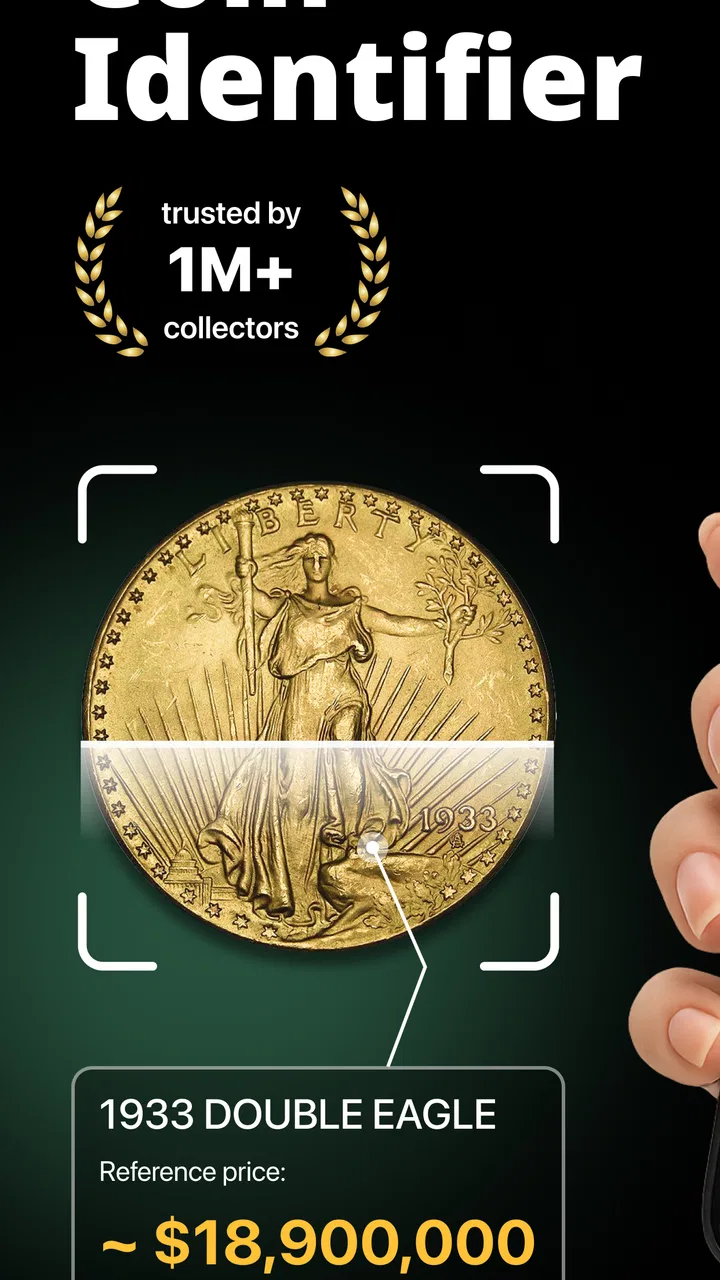
Coin Identifier Coin Scanner
- 4.3
- Rating
- 500.00K
- Installs
- Free
- Price

 Analysis by App-foxy
I approached Coin Identifier Coin Scanner as a practical business app rather than a collector’s novelty. Its purpose is straightforward: point your phone at a coin and use the result as a starting point for identifying it and estimating its value. In my experience, that makes it most useful when I need a quick orientation, not when I am preparing a formal appraisal or making a high-stakes purchase.
The app is free to install, carries an Everyone age rating, and comes from Identifier Studio. It sits in the business category, which makes sense because its real value is helping users organize, screen, and research items that may have financial worth. The current release is version 2.6, and the app has built a sizeable audience, with more than 500,000 installs and a 4.3 average from roughly 26,000 ratings.
What using the scanner feels like in everyday situations
The clearest use case is a box, drawer, or inherited collection full of mixed coins. Instead of searching through general image results one piece at a time, I can use the camera-based workflow to narrow down what I am looking at. That is especially helpful when the lettering is unfamiliar, the denomination is difficult to read, or several coins look almost identical at first glance.
You May Also Like

 Blood Strike: 2.5 Anniversary
Blood Strike’s Loadouts Turn Every Drop Into a Tactical Gamble
A close look at Blood Strike’s custom loadouts: how fast access to signature weapons reshapes its battle royale rhythm, rewards preparation, and narrows the gap between fights.

 Pandora - Music & Podcasts
Pandora’s Music Is Easy to Start, but Harder to Recover
Pandora’s strength is its low-effort path from a seed to a station. Its weak spot is how much confidence it asks you to place in connection, setup, and quiet recovery.

 8 Ball Pool
8 Ball Pool Is Built on Rivalries, Rematches, and Routine
A close look at the rivalries, rematches, shared routines, and unanswered safety questions that turn a quick pool match into a persistent mobile community.

 Samsung Music
Samsung Music’s Quiet Strength Is Playing What You Already Own
Its reach comes less from spectacle than from dependable access to a personal library. That simplicity is both the app’s strongest retention engine and its ceiling.

 AccuWeather: Weather Radar
AccuWeather Review: A Quick, Clear Forecast for Everyday Decisions
For everyday plans, the best forecast is the one you can understand quickly. AccuWeather makes rain timing, radar, and local conditions easy to act on, with a few trade-offs.

 Hill Climb Racing
Why Hill Climb Racing Still Turns Crashes Into One More Run
A tiny car, a bumpy hill and one more upgrade: Hill Climb Racing keeps resurfacing because its simple chaos makes every near-miss feel personal.
More From Our News Desk



I would also use it after returning from a trip, when foreign change has accumulated in a pocket. A quick identification can tell me which pieces deserve a closer look and which are ordinary spending money. The same applies to a small family collection: scan the pieces, note the likely identities, then separate the interesting examples from the common ones before doing deeper research.
The important distinction is between identification and valuation. A scan can give me a useful direction, but the value of a coin depends on details a camera may not fully capture. Condition, mint marks, date variations, authenticity, rarity, cleaning, damage, and demand can all change the result. I treat the displayed value as an estimate for sorting and research, never as a guaranteed selling price.
That limitation does not make the app pointless. It simply defines the right workflow. I use the result to create a shortlist, then inspect the physical coin under better light and compare it with specialist references or a reputable dealer. For a beginner, this is much less intimidating than starting with technical catalog terminology.
Speed expectations: useful when the goal is a first answer
The appeal here is immediacy. The app is designed to identify a coin from an image rather than make me type a long description into a search engine. For a single item, that can feel considerably faster than guessing a country, translating an inscription, and opening several browser tabs.
Perceived speed will naturally depend on the phone, the camera, lighting, and the complexity of the coin. A clear, centered coin is easier to interpret than one partly hidden by glare or surrounded by a cluttered background. I get better results by placing the coin on a plain surface, filling the frame without cutting off the edges, and holding the phone steady for the capture.
There is a useful trade-off between speed and confidence. Rushing through a pile may produce quick suggestions, but careful framing gives the app a better chance of distinguishing similar designs. I would rather spend a few extra seconds on a promising coin than accept the first result and build an entire valuation around a poor image.
For casual sorting, the process feels appropriately focused. It is not trying to replace a complete numismatic database on my phone. Its strength is reducing the first layer of uncertainty: what might this be, and is it worth investigating further?
Where heavy use can become less convenient
The experience changes when I move from one coin to a large collection. Repeatedly photographing dozens of pieces requires consistent lighting and framing, and the human part of the process becomes the bottleneck. I need to keep track of which results belong to which coins, especially when several have similar colors or shapes.
For that reason, I would prepare a simple sorting system before scanning. I might place coins into groups by country, size, or apparent age, then work through one group at a time. Photographing the front and reverse separately can also prevent confusion when the two sides provide different clues. This is a small habit, but it makes the results easier to review later.
Heavy use also exposes the difference between a quick estimate and a serious inventory. If I were cataloging a valuable collection for insurance, inheritance, or a sale, I would not rely on this app alone. I would record the date, visible condition, unusual markings, and photographs of both sides, then have important pieces checked independently.
Another practical point is attention. A scanner can encourage me to focus on the screen instead of the physical object. Coins are easy to drop, scratch, or mix up. I prefer scanning over a soft, uncluttered surface and returning each item to a labeled group immediately. The app helps with recognition, but it cannot prevent mistakes in handling or record-keeping.
Reliability: a strong first filter, not a final authority
I find the app most reliable as a discovery tool. It can help me move from “I have no idea what this is” to “this may be a particular coin, so now I know what details to verify.” That is a meaningful improvement over random searching, especially for people who have never learned the vocabulary of coin collecting.
Accuracy is more complicated when coins share similar portraits, borders, dates, or national designs. A worn coin may also hide the very detail needed to distinguish one variation from another. In those cases, the result should be treated as a candidate rather than a confirmed identity.
My recommended check is simple: compare the app’s suggestion against the coin’s denomination, country, date, inscriptions, edge, and mint mark. If even one major detail conflicts, I would scan again and investigate manually. This cross-check is particularly important before assuming that a high-looking value applies to the exact piece in hand.
The valuation side deserves the same caution. Market prices are not fixed labels. They can vary by condition, buyer interest, authenticity, and whether the quoted figure reflects an asking price, a sale, or a broad estimate. The app is helpful for deciding which coins deserve attention, but it should not be the only evidence behind a financial decision.
That balanced role is why I can recommend it without overstating what it does. It gives newcomers a practical entry point and saves time during preliminary research. Experienced collectors may still prefer specialized catalogs, auction archives, or professional opinions when the distinction between an ordinary coin and a valuable variety matters.
Stability and recovery when a scan goes wrong
Any camera-based identification workflow can produce an unhelpful result when the image is blurred, tilted, too dark, or affected by reflections. My first recovery step would be to change the setup rather than repeatedly submitting the same poor view. Wiping the lens, moving near diffuse daylight, removing the coin from a shiny surface, and capturing it again can make a noticeable difference.
If the first identification looks suspicious, I would not keep accepting it as though repetition makes it more accurate. I would rotate the coin, capture the reverse, and compare the visible text with the suggested result. This is a better recovery method because it adds information instead of simply repeating an uncertain image.
For a collection, I would also keep a small written note beside the phone: a temporary number for each coin and the result associated with it. That prevents a common real-world problem in which several similar scans are completed but nobody remembers which result belongs to which physical piece.
The app’s broad adoption gives me some confidence that it is intended for regular public use, but popularity is not the same as guaranteed performance on every device. I would still keep my operating system updated enough to meet its requirements and avoid scanning in conditions that make any camera app struggle.
Device constraints and the cost of convenience
The minimum operating system requirement is iOS 11, so compatibility is not aimed only at the newest phones. That is helpful for people using an older iPhone, although camera quality, focus behavior, and general responsiveness can still differ between devices. An older handset may be perfectly adequate for clear coins in good light, while a newer camera may make difficult details easier to capture.
Because the central task involves taking or analyzing images, I would expect the phone’s camera and available storage to matter more than raw specifications alone. A device with a scratched lens, weak focus, or a nearly full storage space is not an ideal tool for a large scanning session. I would also avoid judging the app from a single poor result caused by the phone’s physical condition.
The app is free, but in-app purchases range from $3.99 to $39.99 per item. That makes it important to understand my own usage before paying for anything. Someone who only wants to identify a handful of inherited coins may find the free experience sufficient, while a frequent user should examine exactly what an upgrade changes and whether it fits a repeated research workflow.
I would not install it on a device used by a child without an adult deciding how camera use and purchases are handled, even though the content rating is Everyone. The rating describes the nature of the content; it does not remove the need for sensible supervision around spending or photographing personal belongings.
How it compares with ordinary alternatives
The usual alternative is a web search. That approach can be excellent when I already know the country, denomination, and date, but it is slow when the coin is unfamiliar. I may end up trying several descriptions, filtering out unrelated images, and wondering whether two nearly identical examples are actually different varieties.
A general visual search tool is another option. It may find visually similar objects, but similarity is not the same as a coin-specific identification or value-oriented result. This app is more focused on the question collectors and casual owners usually ask first: what coin could this be, and is it worth researching?
Printed catalogs and specialist databases remain better for detailed verification. They usually encourage me to study the exact date, mint mark, condition, and variety rather than accept a broad match. Their weakness is accessibility: a beginner may not know where to start, and a catalog can feel excessive when the goal is only to sort a jar of change.
Professional appraisal is the better choice for a rare-looking piece, a disputed identification, or a transaction involving meaningful money. The app can help me prepare for that conversation by giving me a likely description and highlighting the coins that deserve expert attention. It is not a substitute for authentication.
Who will get the most from it
I think this is a good fit for beginners, families sorting inherited coins, travelers with foreign change, and casual sellers who want a preliminary idea before writing a listing. It is also useful for someone who enjoys the research process but does not yet recognize countries, denominations, or common design families by sight.
The app is less suitable for a professional numismatist who already has a trusted reference system, or for anyone expecting a camera to determine a definitive market price from appearance alone. It is also not the right single tool for insurance documentation, estate valuation, or authentication.
My most effective workflow is to use it at the beginning, not the end: scan, record the likely identity, inspect the physical details, compare reliable references, and seek expert help when the stakes justify it. That approach preserves the app’s convenience without giving an estimate more authority than it deserves.
My performance verdict
After using Coin Identifier Coin Scanner as a practical screening tool, I see its main strength in perceived speed and accessibility. It turns an unfamiliar coin into a research lead quickly, and that can save a beginner from a frustrating search process. The result is most valuable when it helps me decide what to examine next.
Its limitations are equally important. Difficult lighting, worn designs, similar coin variants, and the difference between estimated value and real market value all require human judgment. Large collections also demand a separate method for labeling and organizing results. Those are not reasons to dismiss the app; they are reasons to use it intelligently.
Identifier Studio has made a focused business app for the first stage of coin research, and the 4.3 average across a substantial user base suggests that many people find that role useful. I would recommend trying the free version if you have an unsorted collection or regularly encounter coins you cannot recognize. Just remember the central rule: use the scan to narrow the question, then verify the answer before trusting the value.
For quick identification, everyday sorting, and deciding which pieces deserve deeper attention, it earns a place on my phone. For final pricing, authenticity, or important financial decisions, I would pair it with specialist references or a qualified expert rather than treat it as the last word.
FAQs for Coin Identifier Coin Scanner
01What is Coin Identifier Coin Scanner used for?
Coin Identifier Coin Scanner is designed to help users recognize and learn about coins by taking a photo or uploading an image. It may provide information such as the country of origin, denomination, approximate date, and visual details. It is mainly a convenient identification and educational tool, rather than a guaranteed professional valuation service for collectors.
02How accurate is Coin Identifier Coin Scanner when identifying coins?
The app can be useful for identifying clearly photographed, common coins, but its results may vary depending on image quality, lighting, angle, wear, and the rarity of the item. Similar-looking coins can sometimes be confused, especially when inscriptions are damaged or partially hidden. Users should treat the displayed information as a helpful estimate and verify important findings with a numismatist or trusted reference.
03Can Coin Identifier Coin Scanner tell me how much my coin is worth?
Coin Identifier Coin Scanner may display general market or reference information for some identified coins, but users should not assume that the result represents an exact selling price. A coin’s value depends on authenticity, condition, mint marks, rarity, demand, and current market prices. For valuable or unusual coins, a professional appraisal and comparison with recent auction results are recommended.
04What kind of photos produce the best identification results?
For the best chance of recognition, photograph both sides of the coin in bright, even lighting with the camera focused clearly on the details. Avoid glare, shadows, filters, and busy backgrounds, and keep the coin flat and centered. Include visible dates, lettering, portraits, symbols, and mint marks. If the first scan is uncertain, retaking the image from a different angle may help.
05Is Coin Identifier Coin Scanner free to download and use?
The application may be available to download without an upfront charge, but some features can depend on advertising, usage limits, subscriptions, or in-app purchases. Before scanning a large collection, review the listing and subscription terms carefully, including trial periods and automatic renewal conditions. Also check the app’s privacy information to understand how uploaded coin images and related data are handled.
Pros
- Quickly identifies many common coins from a phone photo.
- Useful reference for checking basic coin details and values.
- Simple interface is easy for beginners to navigate.
- Convenient for organizing discoveries while traveling or collecting.
- Can help spot potentially interesting coins before expert appraisal.
Cons
- Photo results may be inaccurate with worn or poorly lit coins.
- Estimated values should not replace a professional appraisal.
- Rare regional coins may have limited recognition support.
- Some features or scans may require in-app purchases.
- Requires camera access and may raise privacy concerns for some users.

Coin Identifier Coin Scanner
Gallery